

Artificial intelligence is everywhere right now. Scroll through X (Twitter), LinkedIn, or YouTube and you’ll see the same claims repeated again and again: “This AI changed my life.” “Your new 24/7 employee.” “The most important tool you’ll ever use.”
Most of the time, it’s hype. Loud, exaggerated, and ultimately disappointing once you actually try the product. Explore real-world use cases, proactive automation, and how this AI assistant can revolutionize productivity for your business and daily life.
But every once in a while, something shows up that genuinely feels different.
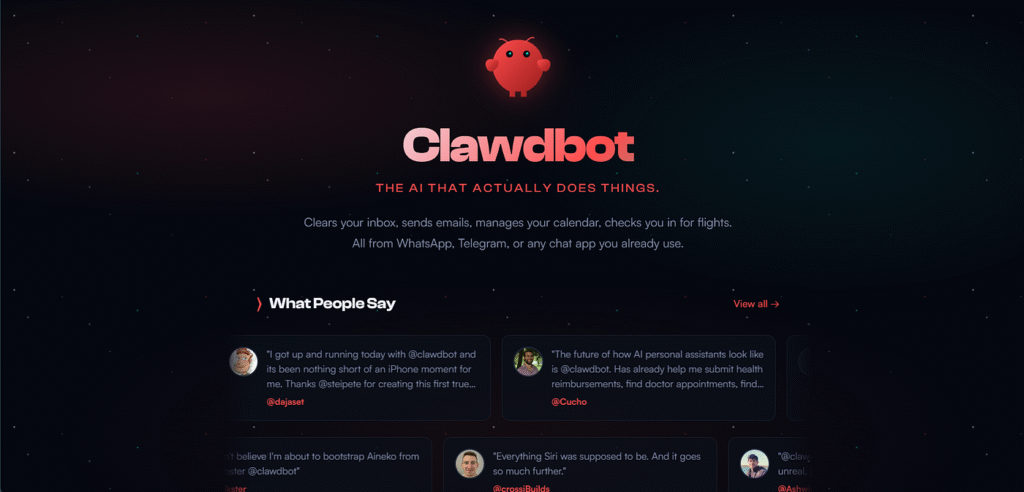
ClawdBot is one of those rare moments.
This isn’t just another chatbot, wrapper, or productivity gimmick. ClawdBot represents a real shift in how we interact with AI—moving from reactive chatbots to a persistent, proactive AI assistant that actually works for you 24/7.
In this article, we’ll cut through the noise and break down:
- Why most AI tools fail to live up to the hype
- What makes ClawdBot fundamentally different
- How ClawdBot works under the hood
- Real-world use cases people are already building
- The reality of hardware, costs, and security
- Why this feels like the AI we were promised years ago
Let’s separate AI hype from AI reality.
The Problem With Most AI Today: It’s Reactive
Most AI tools today—no matter how impressive they seem—share the same limitation.
They’re reactive.
You:
- Open an app
- Type a prompt
- Get a response
- Close the tab
And that’s where everything stops.
Even advanced systems like ChatGPT, Claude, or Gemini essentially die between sessions. They don’t persist. They don’t check in. They don’t remember what they were doing yesterday unless you explicitly remind them.
This prompt → response loop is powerful, but it still demands your time and attention.
You have to go to the AI.
That’s the bottleneck.
Why the AI Hype Feels So Empty
The reason so much AI hype feels hollow is simple:
Most tools don’t actually do anything on their own.
They help you think faster. They help you write quicker. They help you brainstorm better.
But they don’t:
- Monitor your goals
- Run tasks in the background
- Nudge you when you fall off track
- Work while you sleep
They don’t behave like employees, assistants, or agents—despite being marketed that way.
ClawdBot changes that.
What Is ClawdBot, Really?
ClawdBot (spelled C-L-A-W-D, like a lobster claw) is best described as:
An always-on AI operating system for your life and work.
Instead of being a chatbot you visit, ClawdBot is an AI that lives persistently on a computer or server, running 24/7.
It has:
- Persistent memory
- Long-running tasks
- Scheduled jobs
- Proactive behavior
- Multi-channel communication
It doesn’t wait for you.
It reaches out to you.
That single shift—from reactive to proactive—is why ClawdBot feels fundamentally different.
The AI That Actually Does Things
ClawdBot’s tagline is simple but accurate:
“The AI that actually does things.”
Once it’s set up, ClawdBot can:
- Run daily, weekly, or hourly tasks
- Monitor ongoing projects
- Track habits, goals, and workflows
- Send reminders and updates automatically
- Learn from previous interactions
For example:
- At 9:00 AM, it can message you: “Time for your daily reflection.”
- Every morning, it can deliver a personalized news briefing.
- Throughout the day, it can track tasks and nudge you when deadlines slip.
This isn’t magic.
It’s just AI finally being used the way we always imagined.
Proactivity Changes Everything
This is the most important concept to understand.
With ClawdBot:
- You don’t prompt it repeatedly
- You don’t micromanage tasks
- You don’t re-explain context every day
You set the system once.
And it runs.
Forever.
Want a daily video content assistant?
- Track how many videos you’ve posted
- Research trending topics
- Send you daily ideas
- Remind you when you fall behind
Set it once.
ClawdBot handles the rest.
This is why people describe it as a real assistant—not just another AI tool.
How ClawdBot Works (Without the Hype)
Under the hood, ClawdBot is a gateway layer.
It sits between:
- Your communication channels (WhatsApp, Telegram, Slack, email, terminal)
- Your tools (Notion, Google Drive, calendars, browsers, APIs)
- Your preferred large language models (Claude, ChatGPT, Gemini, Grok, local models)
You choose:
- How you talk to it
- What tools it can access
- Which AI models power its reasoning
ClawdBot itself isn’t tied to one LLM.
That flexibility is huge.
Persistent Memory: The Missing Piece
Unlike chatbots that reset, ClawdBot remembers:
- Past tasks
- Long-term goals
- Preferences
- Documents you’ve shared
- Instructions you’ve given
It also has a personality layer—called a Soul file—where you define:
- How it speaks
- How it prioritizes
- How proactive it should be
Onboarding ClawdBot feels less like setting up software and more like hiring an employee.
Uncanny—but powerful.
Real-World Use Cases (Already Live)
People are building some genuinely impressive systems with ClawdBot:
1. Personal Productivity OS
- Daily briefs
- Weekly reviews
- Calendar prioritization
- Task scoring by urgency and importance
2. Content & Media Assistants
- Daily news aggregation
- Trend monitoring
- Show prep briefs
- Feedback loops to improve recommendations
3. Development & Automation
- Website rebuilding via Telegram
- GitHub monitoring
- Tool installation and configuration
4. Coaching & Habits
- Diet tracking via WhatsApp
- Fitness nudges
- Reflection prompts
- Long-term progress tracking
The common theme?
Once configured, ClawdBot keeps working without constant supervision.
Multiple Bots, Separate Roles
You’re not limited to one ClawdBot.
You can run multiple instances:
- One for personal health
- One for business operations
- One for content creation
Each bot has its own memory, tools, and personality.
No context collision.
No confusion.
Stop Buying Mac Minis (Seriously)
One of the biggest myths spreading online is that you need a powerful Mac Mini to run ClawdBot.
You don’t.
In fact, for most users, that’s massive overkill.
The Reality:
- ClawdBot can run on an old laptop
- It can even run on a Raspberry Pi
- Or—most sensibly—on a $5–$10/month VPS
A virtual private server runs 24/7, costs almost nothing, and doesn’t risk your personal computer.
Buying a $1,000+ machine for a single AI agent?
Completely unnecessary.
The Smart Setup: VPS Over Local Machine
Running ClawdBot on a VPS has major advantages:
- Always online
- No electricity cost
- Isolated from your main computer
- Easier to secure
- Scales cheaply
Providers like Hetzner offer reliable servers for around $5/month.
For 99% of use cases, that’s all you need.
Security: Read This Twice
ClawdBot is powerful.
With great power comes… yes, responsibility.
You should never give an agentic AI full access to your primary computer.
Why?
- It can run shell commands
- It can modify files
- Mistakes can cascade fast
Best practice:
- Use a VPS or isolated machine
- Grant only necessary permissions
- Treat it like a junior employee—not a god
Being cautious doesn’t make you boring.
It makes you smart.
How We Can Help You Leverage AI
At Axiabits, we specialize in helping businesses unlock the full potential of AI agents like ClawdBot. Whether you’re looking to automate repetitive tasks, boost productivity, streamline job application processes, or integrate AI for coding and news curation, we’ve got you covered.
Our services include:
- AI Integration & Automation: Seamlessly implement AI agents into your workflows to save time and reduce errors.
- Custom Use Case Development: Tailor AI solutions to your specific business needs, from personal productivity to complex development tasks.
- Training & Support: Get hands-on guidance to ensure your team can fully leverage AI capabilities.
- Ongoing Optimization: Continuously monitor and refine AI workflows for maximum efficiency and ROI.
Let Axiabits help you turn cutting-edge AI technology into practical, real-world solutions for your business.
Book now and let’s get started!
AI Hype vs Reality: The Verdict
Is ClawdBot overhyped?
Surprisingly—no.
It’s not magic. It’s not AGI. It won’t replace humans overnight.
But it does deliver on something AI has promised for years:
A persistent, proactive assistant that actually works for you.
ClawdBot marks the shift from “talking to AI” to “working with AI.”
And once you experience that shift, it’s very hard to go back.
This isn’t just another AI trend.
It’s a step change.
And for once, the hype is justified.
Disclaimer
This article features affiliate links, which indicate that if you click on any of the links and make a purchase, we may receive a small commission. There’s no additional cost to you, and it helps support our blog so we can continue delivering valuable content. We endorse only products or services we believe will benefit our audience.
Frequently Asked Questions
What is ClawdBot, exactly?
ClawdBot is not a typical AI chatbot. It’s a persistent AI agent that runs 24/7 on your own machine or server (Mac Mini or VPS). Unlike browser-based AI tools that reset after each session, ClawdBot stays active, remembers context, monitors tasks continuously, and executes actions without needing constant human prompts.
How is ClawdBot different from ChatGPT or other AI tools?
Most AI tools are reactive—you ask, they answer, and the session ends. ClawdBot is proactive. It can monitor systems, trigger workflows, execute tasks, and respond to events automatically, even when you’re offline. Think of ChatGPT as an assistant you talk to, and ClawdBot as an employee that works around the clock.
Does ClawdBot really work 24/7?
Yes. As long as ClawdBot is running on a powered Mac Mini or a VPS, it operates continuously. This is what allows it to monitor processes, handle automation, and take action in real time without interruptions.
Do I need coding skills to use ClawdBot?
No advanced coding skills are required. ClawdBot is designed for non-technical users, founders, marketers, and operators. While technical users can extend it further, most tasks can be set up using simple instructions and workflows.
Where does ClawdBot run—on my computer or in the cloud?
ClawdBot runs locally on a dedicated machine like a Mac Mini or on a VPS (Virtual Private Server). This setup gives you full control, better privacy, and uninterrupted operation—unlike browser-based AI tools that stop when you close the tab.


