Connecting a custom domain to your Emergent AI project is one of the most important steps in launching a professional, branded AI application. Instead of using a generic deployment URL, a custom domain helps build trust, improve brand visibility, and deliver a seamless user experience.
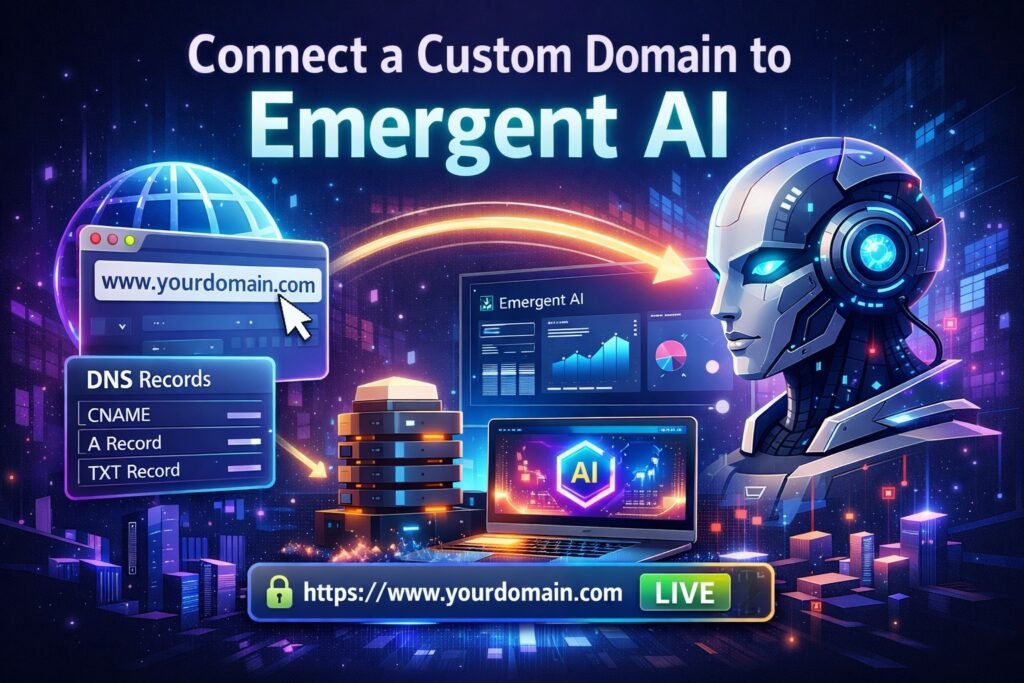
In this complete step-by-step guide, you’ll learn exactly how to connect a custom domain to Emergent AI, based on the official deployment workflow and real dashboard process. Whether you’re building an AI app, chatbot, or automation project, this blog will walk you through everything—from deployment to DNS setup—without confusion.
Want to launch AI apps without complex coding or infrastructure headaches? Join now on Emergent AI and create powerful, scalable AI projects in minutes. From deployment to custom domain support, everything is built for speed and simplicity.
Why Use a Custom Domain with Emergent AI?
Before diving into the steps, let’s understand why connecting a custom domain matters:
- Professional branding – Your AI app looks more credible
- Better user trust – Custom domains feel safer than system URLs
- Easy marketing – Share a clean, memorable domain
- SEO benefits – Search engines prefer branded domains
- Full control – Manage DNS, security, and scaling easily
Emergent AI simplifies this process by integrating with Entry, enabling automatic DNS configuration—no technical expertise required.
What You Need Before Getting Started
Make sure you have the following ready:
- An active Emergent AI account
- A completed or ready-to-deploy project
- A custom domain purchased from a domain provider (e.g., Namecheap, GoDaddy, Google Domains)
- Access to your domain provider account
- At least 50 Emergent AI credits (required for deployment)
Once these are in place, you’re ready to proceed. If you’re looking for a faster way to turn ideas into working AI applications, sign up for Emergent AI today. Its intuitive dashboard, automated deployments, and domain integration make it perfect for beginners and professionals alike.
Step 1: Open the Emergent AI Dashboard
Start by logging into your Emergent AI dashboard.
- Navigate to the dashboard homepage
- Select the project you want to deploy
- Ensure your project is fully configured and ready for deployment
This project will be the one connected to your custom domain.
Step 2: Deploy Your Emergent AI Project
After selecting your project:
- Click on the Deploy button
- On the next screen, click Start Deployment
💡 Each new deployment costs 50 credits per month.
A confirmation popup will appear:
- Click Deploy Now
Step 3: Wait for the deployment to complete
Once deployment starts:
- ⏱️ Deployment usually takes 5 to 7 minutes
- Avoid closing the browser during this process
When deployment finishes successfully, your project becomes eligible for custom domain linking.
Step 4: Open the Custom Domain Section
After deployment:
- Navigate to the Custom Domain section inside your project
- Click on Link Domain
A new input field will appear where you can add your custom domain.
Step 5: Enter Your Custom Domain Name
In the domain field:
- Enter the full domain you want to connect to
- Example:
yourdomain.comorapp.yourdomain.com
- Example:
Double-check spelling to avoid configuration issues later.
Once entered, you’ll be prompted to configure DNS records.
Step 6: Configure DNS Automatically Using Entry
Emergent AI provides automatic DNS setup using Entry, streamlining the process for a fast and error-free experience.
- Click Configure with Entry
- A new window will open
- Click Continue
This method is highly recommended, especially if you want to avoid manual DNS mistakes. Emergent AI helps you go from concept to live AI app without worrying about servers or DNS complexity. Get started with Emergent AI now and deploy secure, production-ready AI projects effortlessly.
Step 7: Verify Your Email Address
Entry will now ask for email verification:
- Enter your email address
- Check your inbox for a verification code
- Enter the code to confirm your email
This step ensures domain security and authorization.
Step 8: Authorize Entry to Access Your Domain Provider
After email verification:
- Entry will request permission to access your domain provider
- Click Authorize
A new browser tab will open.
Want to launch your product faster without sacrificing quality? Build SaaS Websites 10x Faster with Emergent AI and create scalable, high-performance platforms with ease. From rapid development to seamless deployment, Emergent AI helps you turn ideas into production-ready SaaS websites in record time.
Step 9: Allow Entry to Manage DNS Settings
In the new tab:
- Review the permissions request
- Click Connect or Allow
By confirming this step:
- Entry automatically creates required DNS records
- No manual configuration is needed
- Records are optimized for Emergent AI hosting
Step 10: DNS Configuration & Propagation
Once authorization is complete:
- Entry automatically configures DNS records
- Emergent AI begins setting up your domain connection
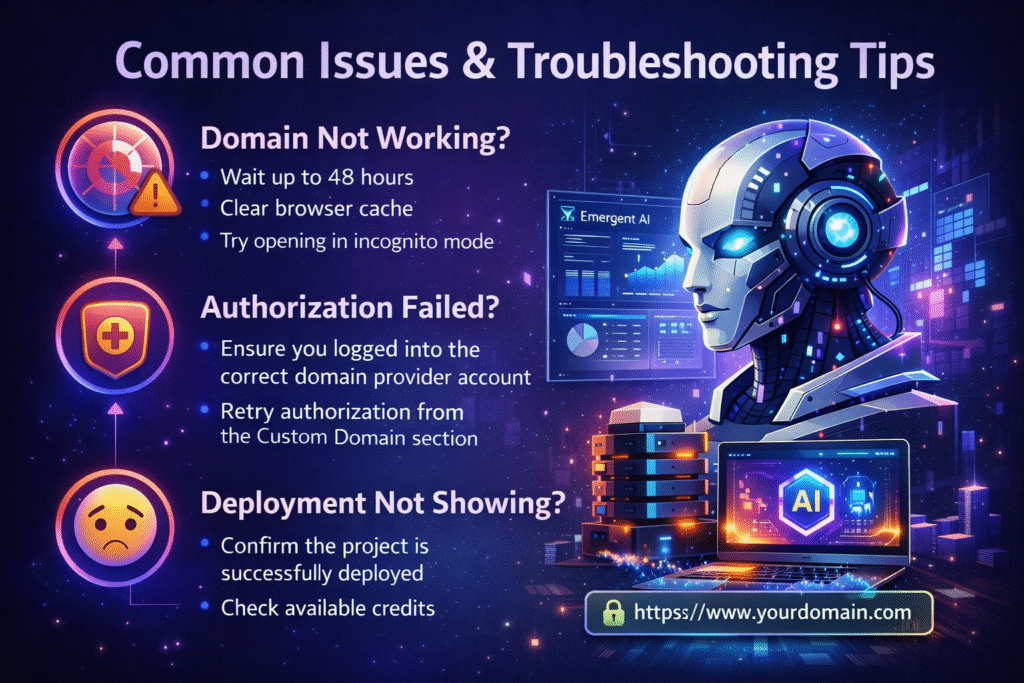
⏳ DNS propagation can take up to 48 hours, depending on your domain provider.
In many cases, the domain works within a few minutes—but full global propagation may take longer. Stop juggling multiple platforms to manage your AI workflows. Join Emergent AI today and handle development, deployment, and custom domains from a single, powerful dashboard.
Step 11: Your Emergent AI Project Goes Live
After DNS propagation is complete:
- Your Emergent AI project will be live on your custom domain
- You can now access your AI app using your branded URL
- HTTPS is automatically handled for secure access
Congratulations—you’ve successfully connected your custom domain to Emergent AI!
Common Issues & Troubleshooting Tips
Best Practices for Custom Domains in Emergent AI
- Use a subdomain (e.g.,
ai.yourdomain.com) for flexibility - Keep your domain provider credentials secure
- Avoid editing DNS records manually after Entry setup
- Monitor domain status inside the Emergent AI dashboard
We Help You Launch Emergent AI the Right Way
At Axiabits, we specialize in helping businesses, startups, and creators launch fully functional AI applications with confidence. From deploying your Emergent AI project to connecting a secure, branded custom domain, our team ensures everything is set up correctly—without delays or technical issues.
What We Can Do for You:
- Emergent AI Deployment & Setup
We handle project deployment, credit optimization, and environment setup to get your AI app live smoothly. - Custom Domain Connection & DNS Configuration
No DNS confusion. We connect your custom domain to Emergent AI using secure, best-practice configurations. - SSL & Security Optimization
Ensure your AI application runs securely with HTTPS and proper domain validation. Performance & Reliability Setup
We optimize deployments so your AI app loads fast and runs reliably across all regions. - AI App Consulting & Scaling Support
Need help improving or scaling your AI project? We provide expert guidance tailored to your goals.
Whether you’re launching your first AI app or scaling an existing one, Axiabits makes the process simple and stress-free.
Book now and let’s get started!
Final Thoughts
Connecting a custom domain to Emergent AI is a simple yet powerful step that instantly upgrades your AI project from a test environment to a production-ready, branded application.
Thanks to Emergent AI’s integration with Entry, the entire process—from deployment to DNS setup—can be completed without manual configuration or technical complexity.
If you’re serious about launching AI apps professionally, custom domains are not optional—they’re essential. Whether you’re building an AI tool, chatbot, or automation workflow, sign up now on Emergent AI and bring your project live faster with built-in deployment and domain support.
Disclaimer
This article features affiliate links, which indicate that if you click on any of the links and make a purchase, we may receive a small commission. There’s no additional cost to you, and it helps support our blog so we can continue delivering valuable content. We endorse only products or services we believe will benefit our audience.
FAQs – Connecting Custom Domains to Emergent AI
How much does it cost to deploy on Emergent AI?
Each deployment costs 50 credits per month.
Can I use any domain provider?
Yes. Entry supports most major domain providers.
Do I need technical DNS knowledge?
No. Entry handles everything automatically.
How long does domain setup take?
Deployment takes 5–7 minutes; DNS propagation can take up to 48 hours.
Can I change domains later?
Yes, you can unlink and connect a new custom domain anytime.