Marketing teams today manage dozens of campaigns, content tasks, and collaborations at the same time. Without the right system, projects quickly become disorganized and deadlines get missed. That’s where Monday.com comes in.
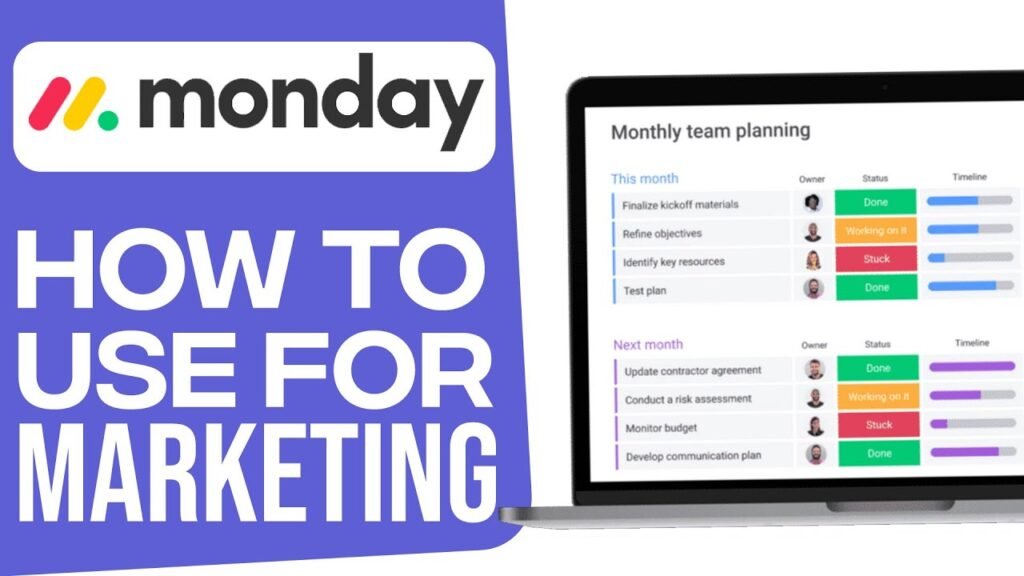
This powerful work management platform helps marketing teams plan campaigns, organize content, track performance, and collaborate efficiently. Whether you’re a solo marketer, freelancer, or part of a large marketing team, Monday.com provides a flexible workspace to manage everything in one place.
In this guide, you’ll learn how to use Monday.com for marketing step-by-step, including how to set up marketing boards, use templates, manage campaigns, and streamline your workflow. Ready to organize your marketing campaigns? 👉 Join Now on Monday.com and start managing projects smarter.
Why Marketing Teams Use Monday.com
Before diving into the steps, it’s important to understand why marketers love using Monday.com.
Marketing projects usually involve:
- Campaign planning
- Content creation
- Social media scheduling
- Ad campaign tracking
- Team collaboration
- Performance reporting
Instead of managing everything in spreadsheets or scattered tools, Monday.com centralizes your entire marketing workflow.
Key Benefits for Marketing Teams
Want better marketing project management? Learn how to use Monday.com to organize campaigns, automate tasks, and boost productivity. Streamline your marketing workflow today — 👉 Sign Up on Monday.com and boost your team productivity.
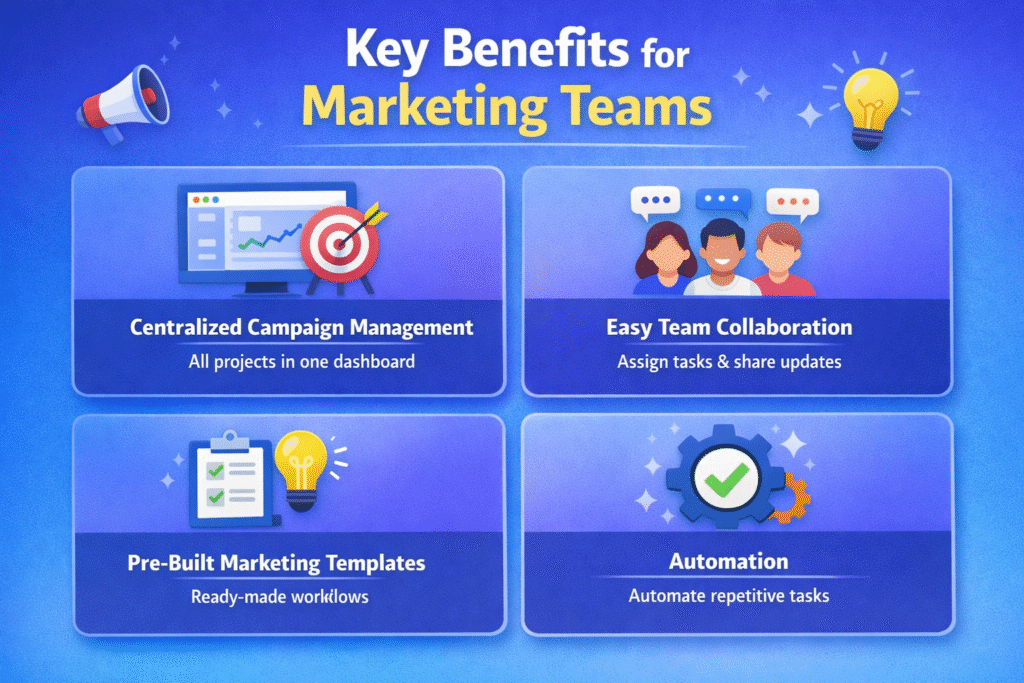
1. Centralized Campaign Management
Track all campaigns in one dashboard.
2. Easy Team Collaboration
Assign tasks, comment, and share updates with team members.
3. Pre-Built Marketing Templates
Start quickly with ready-made marketing workflows.
4. Automation
Automate repetitive tasks like status updates and notifications.
5. Visual Project Tracking
Use timelines, Kanban boards, calendars, and dashboards.
Because of these features, many companies use Monday.com as their primary marketing project management tool.
Step-by-Step: How to Use Monday.com for Marketing
Take control of your marketing projects — 👉 Start Using Monday.com Today and manage everything in one dashboard.
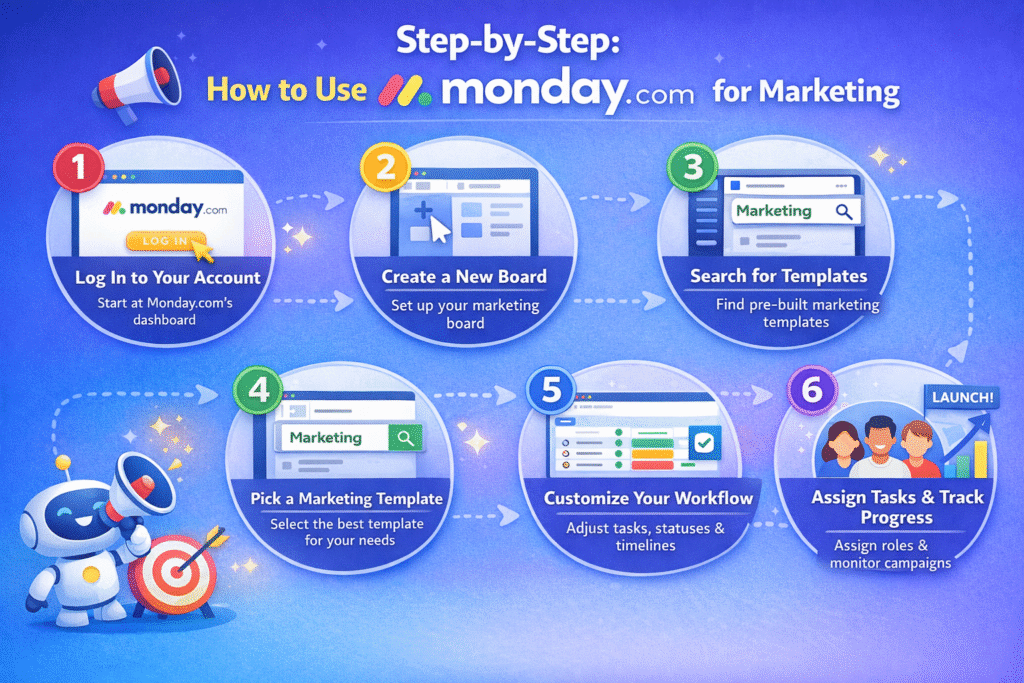
Let’s walk through the complete process of setting up Monday.com for your marketing projects.
Step 1: Log In to Your Monday.com Account
First, visit the Monday.com website and log in to your account.
If you’re new:
- Create an account
- Set up your workspace
- Invite team members
Once logged in, you’ll land on the Monday.com dashboard, which is the main hub where all projects and boards are managed.
This dashboard allows you to view tasks, manage teams, and track campaign progress in real time.
Step 2: Create a New Marketing Board
Next, you need to create a board for your marketing workflow.
On the left sidebar of the dashboard, you’ll see a “+” (Plus) icon.
Clicking this icon allows you to create:
- New boards
- Projects
- Tasks
- Workspaces
Boards are the foundation of Monday.com, where all tasks, campaigns, and activities are organized.
For marketing teams, a board might represent:
- A marketing campaign
- A content calendar
- A social media schedule
- An ad campaign tracker
Step 3: Open the Template Center
After clicking the Plus icon, select Template Center.
The template center contains hundreds of ready-made templates designed for different workflows.
These templates save time because you don’t need to build your marketing system from scratch.
For marketing teams, this is extremely helpful because templates already include:
- Campaign tracking structures
- Task assignments
- Timeline management
- Performance tracking
Step 4: Search for Marketing Templates
Inside the template center, you’ll find a search bar.
Simply type:
“Marketing”
This will display a variety of templates specifically designed for marketing workflows.
Popular templates include:
- Marketing campaign tracker
- Content calendar
- Social media planner
- Marketing strategy roadmap
- Product launch campaign planner
Using these templates helps marketing teams start working immediately without complicated setup.
Step 5: Choose the Best Marketing Template
Once you search for marketing templates, browse through the available options.
Each template is designed for a specific marketing purpose.
For example:
Marketing Campaign Template
Used for tracking campaigns from planning to launch.
Content Calendar Template
Helps organize blog posts, videos, and social media content.
Social Media Planner
Schedule and manage posts across multiple platforms.
Marketing Strategy Planner
Plan quarterly or yearly marketing strategies.
Choose the template that best fits your marketing workflow.
Step 6: Add the Template to Your Workspace
After selecting your preferred template, click “Use Template.”
This action automatically adds the template to your workspace dashboard.
The board will include:
- Pre-built task groups
- Campaign stages
- Status columns
- Timeline tracking
- Assigned team members
Now you have a structured marketing workspace ready to customize.
Step 7: Customize Your Marketing Workflow
Once the template loads, you can customize it according to your marketing needs.
You can modify:
Task Names
Example:
- Blog Post Writing
- SEO Optimization
- Ad Creative Design
- Social Media Scheduling
Status Columns
Common marketing statuses include:
- Idea
- Planning
- In Progress
- Review
- Published
- Completed
Timeline Columns
Track important deadlines such as:
- Content publishing date
- Campaign launch
- Ad campaign duration
Customization allows marketing teams to build workflows tailored to their strategy.
Step 8: Assign Tasks to Team Members
Collaboration is one of the biggest advantages of Monday.com.
Each task can be assigned to a specific team member.
For example:
| Task | Assigned To |
| Blog Article | Content Writer |
| Ad Design | Graphic Designer |
| Campaign Setup | Marketing Manager |
| SEO Optimization | SEO Specialist |
Team members receive notifications when tasks are assigned or updated.
This ensures everyone stays aligned and accountable.
Step 9: Track Campaign Progress
Monday.com allows marketing teams to visually track progress.
You can use multiple views such as:
Kanban View
Perfect for tracking task stages.
Timeline View
Helps monitor campaign schedules.
Calendar View
Great for managing publishing schedules.
Dashboard View
Shows campaign performance and team workload.
These views help teams stay organized and avoid missed deadlines.
Step 10: Improve Team Communication
Marketing projects require constant collaboration.
Instead of using multiple tools like email or chat apps, Monday.com allows teams to communicate directly inside tasks.
Features include:
- Task comments
- File attachments
- Mentions (@team member)
- Update notifications
This keeps all project discussions in one place, making collaboration easier.
Want to improve your workflow even more? Learn how to send automated notifications and updates using Monday.com in our guide. It shows how to automate emails for tasks, deadlines, and campaign updates so your marketing team stays organized and informed.
Best Marketing Workflows You Can Build in Monday.com
Here are some of the most common marketing workflows teams create.
1. Content Marketing Workflow
Plan and track:
- Blog posts
- Videos
- Email newsletters
- Landing pages
Content teams can manage editorial calendars efficiently.
2. Social Media Management
Track:
- Post creation
- Platform scheduling
- Performance analytics
- Campaign launches
Perfect for social media managers handling multiple platforms.
3. Paid Ads Campaign Management
Manage advertising campaigns including:
- Facebook Ads
- TikTok Ads
- Google Ads
- Creative testing
You can track budgets, creatives, and campaign performance in one board.
4. Product Launch Campaigns
Marketing teams can coordinate:
- Launch strategy
- Content rollout
- Influencer collaborations
- Ad campaigns
Everything is managed through a single structured workflow.
Advanced Features Marketers Should Use
To maximize productivity, explore these advanced features.
Automation
Automate repetitive tasks like:
- Status updates
- Deadline reminders
- Task notifications
Example automation:
When task status changes to “Completed” → Notify manager
Integrations
Monday.com integrates with many marketing tools like:
- CRM platforms
- Email marketing software
- Advertising platforms
- Analytics tools
This creates a fully connected marketing ecosystem.
Dashboards
Marketing dashboards allow teams to track:
- Campaign progress
- Team workload
- Marketing KPIs
- Project timelines
This gives managers a complete overview of marketing performance. Want to manage leads and sales alongside your marketing projects? Check out our guide on Create a Sales CRM on Monday.com. It shows how to build a simple CRM to track leads, manage pipelines, and close deals more efficiently.
Need Help Setting Up Monday.com for Your Business?
At Axiabits, we help businesses streamline their workflows and improve team productivity using powerful tools like Monday.com. Whether you need a custom CRM setup, marketing workflow automation, project management boards, or advanced integrations, our experts can build the perfect system tailored to your business needs.
We specialize in Monday.com workspace setup, automation, dashboard creation, and team workflow optimization to help companies save time and scale faster.
🚀 Ready to optimize your workflow? Book a consultation with Axiabits today and transform the way your team works.
Final Thoughts
Using Monday.com for marketing can dramatically improve how teams plan, execute, and track campaigns.
By leveraging marketing templates, task assignments, collaboration tools, and automation, teams can eliminate confusion and focus on achieving better marketing results.
Whether you’re managing content marketing, social media campaigns, or paid advertising, Monday.com provides a structured system that keeps everything organized.
If you’re looking to streamline your marketing workflow and boost team productivity, Monday.com is one of the best platforms available today. Want better campaign management? 👉 Create Your Free Monday.com Account and get started in minutes.
Disclaimer
This article features affiliate links, which indicate that if you click on any of the links and make a purchase, we may receive a small commission. There’s no additional cost to you, and it helps support our blog so we can continue delivering valuable content. We endorse only products or services we believe will benefit our audience.
Frequently Asked Questions
What is Monday.com used for in marketing?
Monday.com is a powerful work management platform that helps marketing teams organize campaigns, manage content calendars, track project progress, and collaborate efficiently. It centralizes all marketing activities in one dashboard so teams can plan, execute, and analyze campaigns easily.
Can Monday.com help manage marketing campaigns?
Yes, Monday.com provides marketing campaign templates that allow teams to plan campaigns, assign tasks, track deadlines, and monitor performance. This makes campaign management more structured and transparent.
Is Monday.com suitable for small marketing teams?
Yes. Monday.com is suitable for small businesses, startups, and large marketing teams. Its flexible dashboards and customizable boards make it easy to scale as your marketing operations grow.
Is Monday.com easy to learn for beginners?
Yes. Monday.com has an intuitive interface, drag-and-drop features, and ready-made templates, making it easy for beginners to start managing marketing projects with minimal training.
Can Monday.com integrate with other marketing tools?
Yes, Monday.com integrates with many popular marketing tools such as:
– Google Drive
– Slack
– Mailchimp
– HubSpot
– Zoom
These integrations help streamline workflows across different platforms.