

Introduction
Artificial Intelligence is no longer a futuristic concept reserved for big tech companies. Today, businesses of all sizes can build powerful AI agents that automate workflows, manage data, interact with customers, and streamline internal operations. The real challenge is not what AI can do — it’s how easily you can build and deploy it.
That’s where Airia comes in.
Airia is an enterprise‑grade AI agent platform that allows you to build, deploy, and manage AI agents in minutes — without complex infrastructure, heavy coding, or security risks. Whether you’re a startup founder, automation builder, enterprise team member, or AI enthusiast, Airia gives you the tools to create scalable AI solutions with speed, security, and flexibility.
Build AI agents in minutes with Airia. Airia is an enterprise-grade AI platform that helps you create, deploy, and manage powerful AI agents without complex coding. Whether you’re automating workflows or scaling AI solutions, Airia makes it fast and secure.
Join Airia AI now and start building smarter automation today.
In this complete step‑by‑step guide, you’ll learn:
- What Airia is and why it’s different from typical AI platforms
- How Airia’s interface works
- How to create your first AI agent
- How to connect your data
- How to add approvals, automations, and workflows
- A real-world AI agent example (invoice approval system)
- How to deploy AI agents for real business use
By the end of this guide, you’ll understand exactly how to build an AI agent in minutes using Airia.
What Is Airia?
Airia is a powerful AI agent platform designed for building production‑ready AI systems. Unlike simple chatbot builders, Airia is built for real workflows, enterprise deployment, and secure automation.
With Airia, you can:
- Build AI agents visually
- Connect enterprise data sources
- Integrate tools like Slack, GitHub, Google Workspace, Airtable, and more
- Add human‑in‑the‑loop approvals
- Monitor performance and costs
- Deploy scalable AI workflows
It’s designed for:
- Businesses
- Enterprise teams
- AI developers
- Automation builders
- SaaS founders
- No‑code and low‑code users
Airia makes AI agent development structured, organized, and scalable — instead of chaotic and experimental.
Ready to build real AI agents, not just chatbots? Airia lets you connect AI models, data, and tools to create production-ready AI workflows in minutes.
Sign up for Airia AI today and turn your ideas into working AI systems.
Airia Dashboard Overview
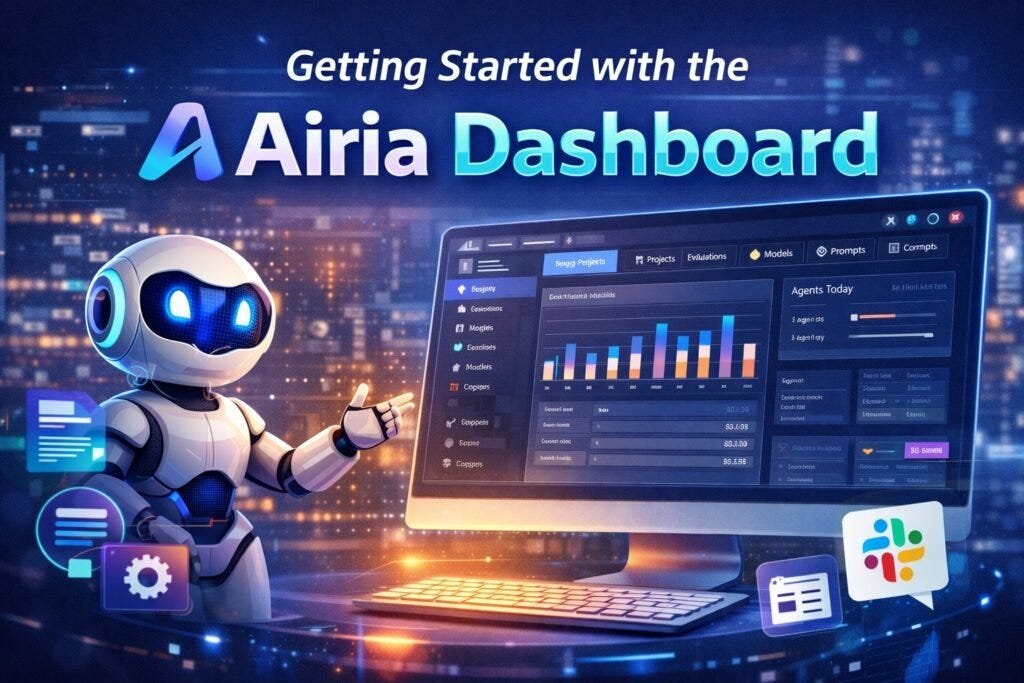
When you open Airia, you’ll notice a clean and organized interface designed for building AI systems at scale.
Key Sections:
1. Insights
The Insights dashboard helps you track:
- Active agents
- Workflows
- Performance
- Budget usage
- API costs
- Model usage
This is essential for businesses managing multiple AI agents and workflows.
2. Projects
Projects are the core workspace inside Airia. Each project can contain:
- Multiple AI agents
- Workflows
- Data sources
- Evaluations
This structure allows you to organize AI systems by department, function, or client.
3. Evaluations
Evaluations let you track AI performance using:
- Custom datasets
- Evaluation models
- Performance metrics
This is crucial for enterprise-grade AI deployment.
4. Models
Here you connect AI models such as:
- OpenAI
- Other LLM providers
You can view:
- Cost per API call
- Model performance
- API configuration
5. Prompts
Airia allows you to save:
- Reusable prompts
- Community prompts
- Custom templates
This helps standardize AI behavior across projects.
6. MCP Servers (Tool Integrations)
MCP servers allow you to connect external tools:
- Slack
- GitHub
- Google Workspace
- Airtable
- Notion
- CRMs
- Internal systems
This is how your AI agents interact with real business systems.
7. Knowledge & Data Sources
You can connect enterprise data using:
- Cloud storage
- Databases
- APIs
- Knowledge bases
This allows AI agents to work with real business data securely.
Power your business with AI agents built on Airia. From approvals to automation, Airia helps teams deploy secure and scalable AI workflows with ease. Get started with Airia AI and streamline your operations instantly.
Step‑by‑Step: Building Your First AI Agent in Airia
Let’s walk through the real process of building an AI agent.
Step 1: Create a Project
Go to Projects → Create a new project. This will be your workspace for building agents and workflows.
Step 2: Add a New Agent
Inside your project:
- Click Add Agent
- Airia automatically creates:
- Input node
- AI model connection
- Output node
This gives you a basic AI workflow structure instantly.
Step 3: Connect an AI Model
From the Models tab:
- Select your AI model (e.g., OpenAI GPT‑4.1)
- Add your API key
- Drag the model into your workflow
- Connect it to the input node
Now your agent is powered by AI.
Step 4: Define the Agent Prompt
Click the AI agent and define its role using a clear prompt:
Example:
“You are an expert summarizer. Your task is to analyze given data and create a clear, structured, and accurate summary.”
This determines how your AI behaves.
Step 5: Add Workflow Logic
Airia allows you to build logic flows visually:
- Decision nodes
- Flow control
- Human approvals
- Conditional routing
This turns AI into automation, not just conversation.
No coding. No complexity. Just AI agents that work. Airia makes it easy for anyone to build and manage AI agents using a visual, no-code interface. Join Airia AI for free and launch your first AI agent in minutes.
Real‑World Example: Invoice Approval AI Agent
Let’s look at a real business use case.
Workflow Purpose:
Automatically process invoices, summarize them using AI, and route them for human approval.
Workflow Structure:
- Input Node
- Upload invoice (PDF)
- Summarization Agent
- AI reads the invoice
- Extracts key details
- Creates a structured summary
- Human Approval Node
- Sends summary for approval
- Human approves or denies
- Conditional Routing
- Approved → Slack message
- Denied → Slack message
- Output Node
- Final workflow output
Step‑by‑Step Setup
1. Input
Upload invoice PDF.
2. Summarize Agent
Prompt example:
“Analyze the invoice and create a structured summary including invoice number, company name, items, and total amount.”
3. Human Approval Node
- Add approvers
- Add approval message
- Enable email notifications
This creates a human‑in‑the‑loop AI workflow.
4. Conditional Branching
- If approved → Approved agent
- If denied → Denied agent
5. Tool Integration (Slack)
Connect Slack using MCP servers.
Approved Agent Prompt:
“Send Slack DM notifying that invoice has been approved with invoice number, company name, and total.”
Denied Agent Prompt:
“Send Slack DM notifying that invoice has been denied with invoice number, company name, and total.”
Testing the AI Agent
- Upload invoice
- AI summarizes invoice
- Approval request sent
- Human reviews
- Decision made
- Slack notification triggered
This entire process happens automatically.
Why Airia Is Powerful for Businesses
Enterprise Security
- Guardrails
- Responsible AI filters
- Data protection
- Secure APIs
Scalability
- Multi‑agent systems
- Project organization
- Cost tracking
- Performance monitoring
No‑Code + Enterprise
Airia combines:
- Visual workflows
- Enterprise architecture
- AI orchestration
- Automation
Use Cases for Airia AI Agents
- Invoice processing
- Customer support automation
- HR onboarding
- CRM automation
- Data analysis
- Knowledge assistants
- Lead qualification
- Internal operations
- SaaS automation
- Enterprise workflows
Benefits of Building AI Agents with Airia
- Fast deployment
- No heavy coding
- Secure infrastructure
- Enterprise scalability
- Modular workflows
- Human‑AI collaboration
- Real business integration
If you want to take your automation even further, check out our detailed guide on Build a Content Repurposing AI Agent in Airia, which shows how to automatically turn one piece of content into blogs, social posts, and summaries using AI-powered workflows.
Final Thoughts
Airia is not just another AI chatbot platform — it’s a full AI agent operating system for businesses.
It allows you to:
- Build AI agents in minutes
- Deploy real workflows
- Integrate business tools
- Add human approvals
- Scale securely
- Operate at enterprise level
If you’re serious about AI automation, AI agents, and AI‑powered business workflows, Airia gives you everything you need to move from experimentation to real production systems.
Instead of just asking AI questions, you start building AI systems. That’s the real future of AI. Looking for an enterprise-ready AI agent platform? Airia delivers security, scalability, and full control for building AI agents that run real business workflows. Sign up now for Airia AI and deploy AI with confidence.
Disclaimer
This article features affiliate links, which indicate that if you click on any of the links and make a purchase, we may receive a small commission. There’s no additional cost to you, and it helps support our blog so we can continue delivering valuable content. We endorse only products or services we believe will benefit our audience.
Frequently Asked Questions
What is Airia used for?
Airia is used to build, deploy, and manage AI agents that automate real business workflows. It allows teams to connect AI models with data sources, tools, and human approvals to create scalable, production-ready AI systems.
Is Airia suitable for beginners?
Yes. While Airia is enterprise-grade, it is designed with a visual, no-code/low-code interface that beginners can use easily. You don’t need deep AI or infrastructure knowledge to start building useful AI agents.
Do I need coding skills to build AI agents in Airia?
No coding is required for most use cases. Airia uses drag-and-drop workflows, pre-built nodes, and visual logic. However, developers can extend functionality using APIs and custom tools if needed.
What types of AI models can I use in Airia?
Airia supports multiple AI models, including OpenAI models like GPT-4.1. You can connect models by adding your API keys and manage cost, usage, and performance directly inside the platform.


