

Creating high-converting websites starts with a strong wireframe. If you’re using Relume Site Builder, you’re already ahead—because it combines AI, structure, and speed into one powerful workflow.
In this complete guide, you’ll learn how to create and edit wireframes in Relume Site Builder step-by-step, including sitemap integration, AI editing, collaboration, and advanced tips to speed up your workflow. Ready to design faster? Start building professional wireframes with AI using Relume Site Builder. Join now Relume.io and turn your ideas into real website layouts in minutes.
What is Relume Site Builder?
Relume Site Builder is a modern AI-powered tool that helps designers, developers, and marketers quickly create website structures, wireframes, and UI systems.
Instead of building layouts from scratch, Relume allows you to:
- Generate full sitemaps using AI
- Automatically create wireframes
- Edit and customize layouts visually
- Export designs to tools like Figma and Webflow
Why Wireframing Matters
Wireframes are the blueprint of your website. They define:
- Layout structure
- Content hierarchy
- User flow
- Conversion paths
Using Relume, you can go from idea → sitemap → wireframe in minutes.
Skip hours of manual design and let AI do the work. With Relume Site Builder, you can create sitemaps and wireframes instantly. Sign up now Relume.io and start building smarter.
How Sitemap and Wireframes Work Together
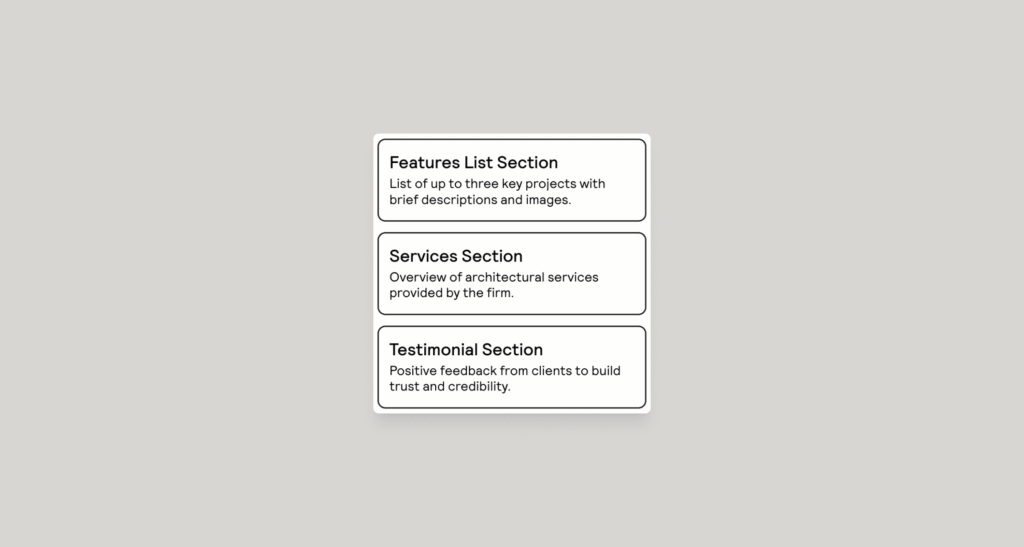
One of the most powerful features of Relume Site Builder is the connection between sitemap and wireframes.
Key Concept:
- Every section in the sitemap = a section in the wireframe
- Delete a sitemap section → it deletes in wireframe
- Edit wireframe → reflects in sitemap
Section Prompt (Important for SEO + UX)
Each sitemap section includes:
- Title
- Description
These act as AI prompts that tell Relume what type of component to generate.
Example:
- “Hero section with CTA for SaaS product” → generates a conversion-focused hero block
Want to speed up your web design workflow? Relume Site Builder helps you go from idea to wireframe in seconds. Get started with Relume.io today and boost your productivity.
How to Edit Wireframes in Relume (Step-by-Step)
Editing wireframes is where the real magic happens. Relume makes it fast using keyboard shortcuts and AI.
Basic Controls
Zooming
- ⌘ + Scroll
- Pinch gesture
- Press Z + click (zoom in)
- Press Z + Option + click (zoom out)
Panning
- Hold spacebar + drag
- Two-finger gesture
Navigation Panel Overview
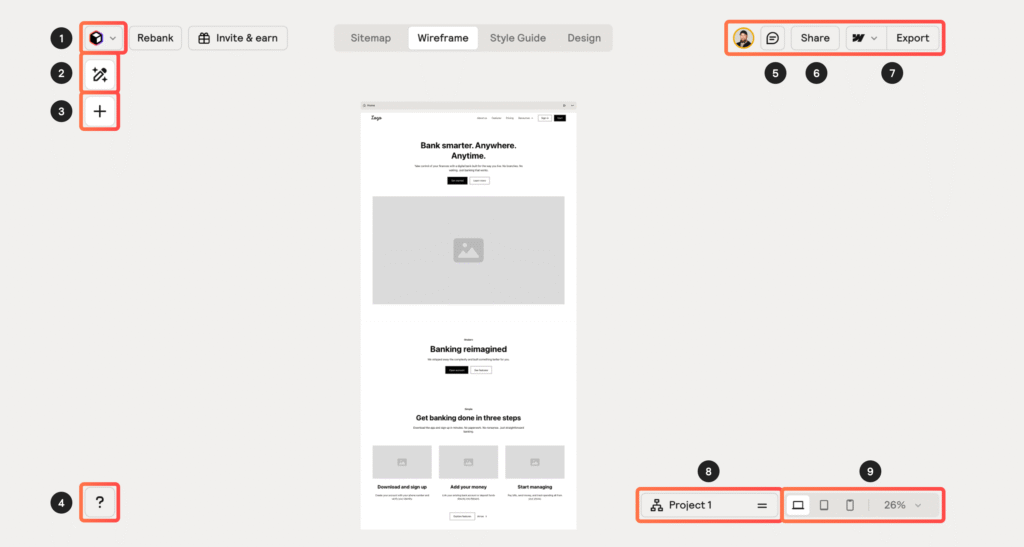
Relume’s interface includes:
- Edit Panel (Magic Pencil) → main editing actions
- Add Panel → insert components manually
- Comments Panel → feedback system
- Share Button → collaborate instantly
- Export Menu → export to tools
- Sitemap Menu → switch structures
Removing Elements in Wireframes
You can easily delete most elements:
- Click element → press Delete
- Or right-click → Delete
⚠️ Note:
Some elements cannot be deleted (like headings or testimonial text) because removing them would break the component structure.
Reordering & Adding List Items
For elements like:
- Navbar links
- Feature lists
- Team sections
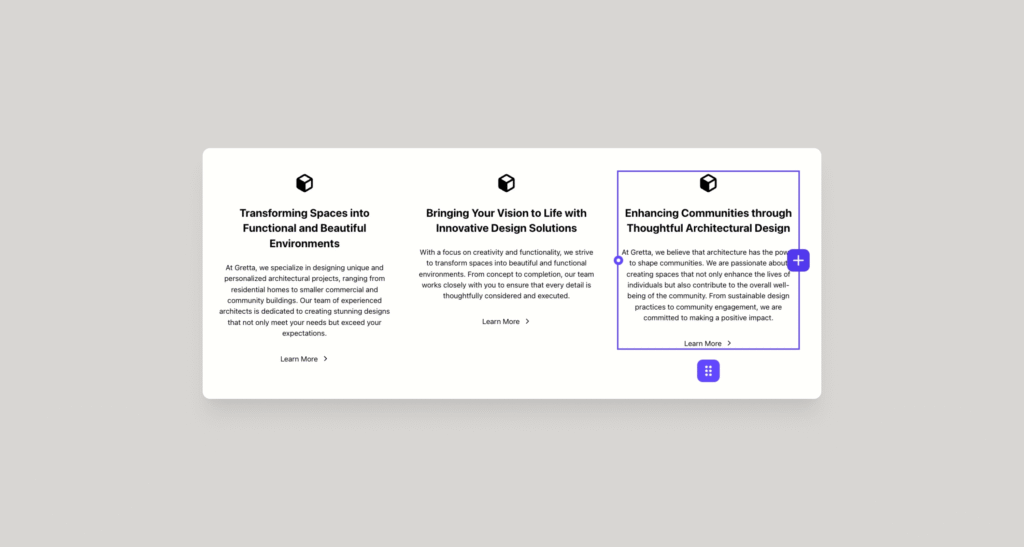
You can:
- Drag items to reorder
- Add new items left or right
This makes structuring content super flexible.
Resetting Components
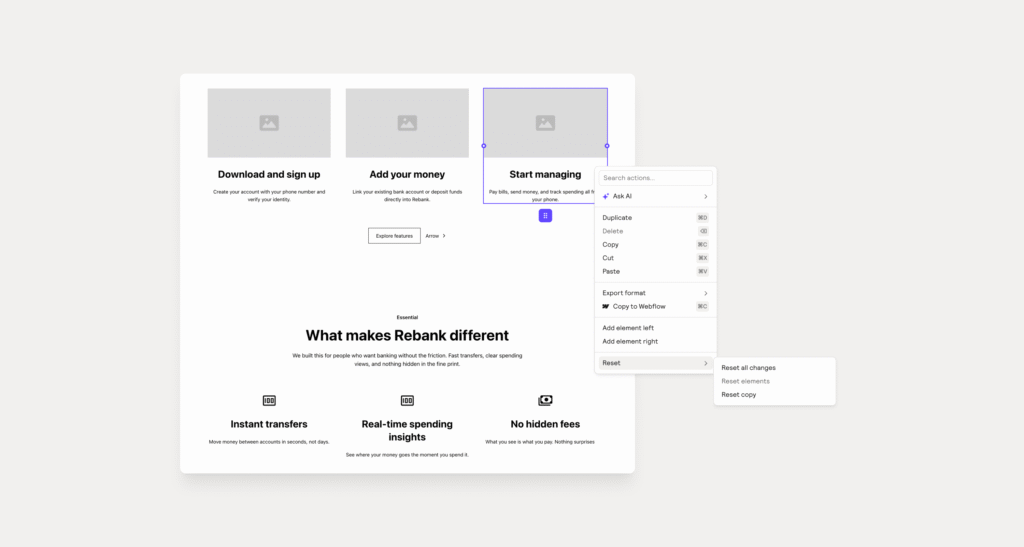
Made too many changes?
No problem.
You can:
- Right-click component → Reset Component
- Options include:
- Reset all changes
- Reset elements only
- Reset copy only
- Reset all changes
This is perfect for testing variations without losing everything.
If you want to take your workflow even further, check out our detailed guide on Relume Site Builder where we explain how to generate complete UI layouts using AI. In this article, Use Relume AI To Generate UI in 2026 you’ll learn how to turn simple prompts into full website designs and streamline your entire design process.
Swapping Variants (Fast Design Iteration)
Many components have multiple design variations.
To switch:
- Click component
- Open edit panel
- Choose a variant
💡 This changes the entire layout instantly—great for A/B style exploration.
Replacing Components Without Losing Content
Want a new design but keep your text?
Relume allows you to:
- Replace component
- Keep existing copy
This is a huge time-saver for marketers and designers.
Design, edit, and launch faster with AI-powered tools. Relume Site Builder is perfect for designers, freelancers, and agencies. Try Relume.io now and simplify your workflow.
Using AI to Edit Wireframes
AI is where Relume shines.
✨ What You Can Do:
- Rewrite text
- Shorten or expand content
- Adjust tone
- Optimize for conversions
How to Use:
- Select text or section
- Click Ask AI
- Choose action or write prompt
👉 Example prompt:
- “Make this headline more persuasive for SaaS users”
Editing and Resetting Copy
Editing Copy
- Click any text → edit instantly
- Regenerate content using AI
Reset Copy
- Right-click page → Reset Copy
- Useful for switching to placeholder text (like Lorem Ipsum)
How to Create Additional Pages
Adding pages in Relume is simple.
Method 1:
- Click + button between pages
Method 2:
- Add from sitemap
Important:
- Pages sync automatically between sitemap and wireframe
Options:
- Generate page using AI prompts
- Build manually
To keep your designs consistent and production-ready, don’t miss our guide on setting up a style system using Relume Site Builder and Webflow. In How to Set Up Your Webflow Style Guide With Relume, you’ll learn how to create a scalable design system, manage global styles, and ensure consistency across all your pages.
How to Create Global Sections
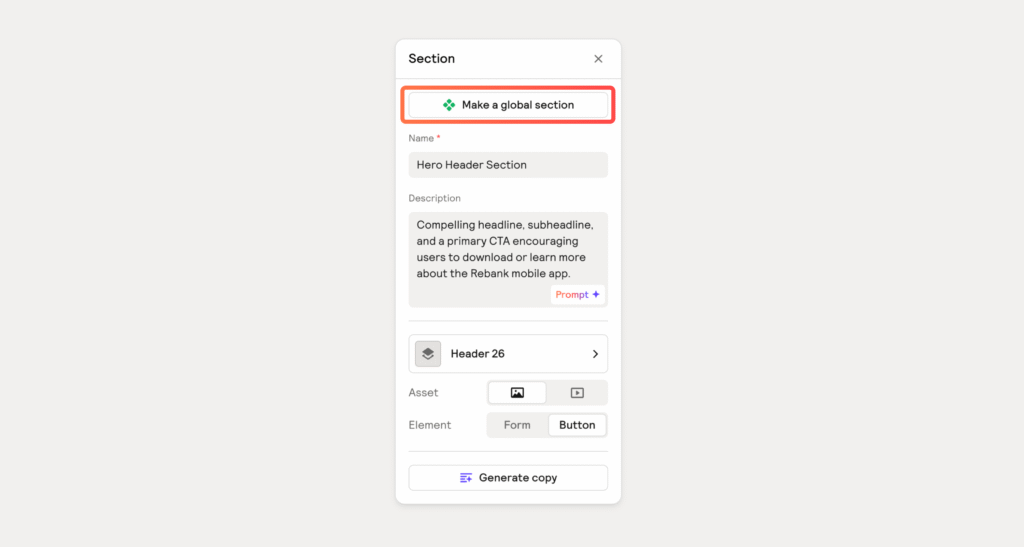
Global sections help maintain consistency across your website.
Examples:
- Headers
- Footers
- Testimonials
- CTAs
How to Create:
- Right-click section
- Click Create Global Section
Benefits:
- Reusable across pages
- Auto-consistent design
- Saves time
👉 When exported to Webflow or Figma, these become reusable components.
Collaborating with Teams and Clients
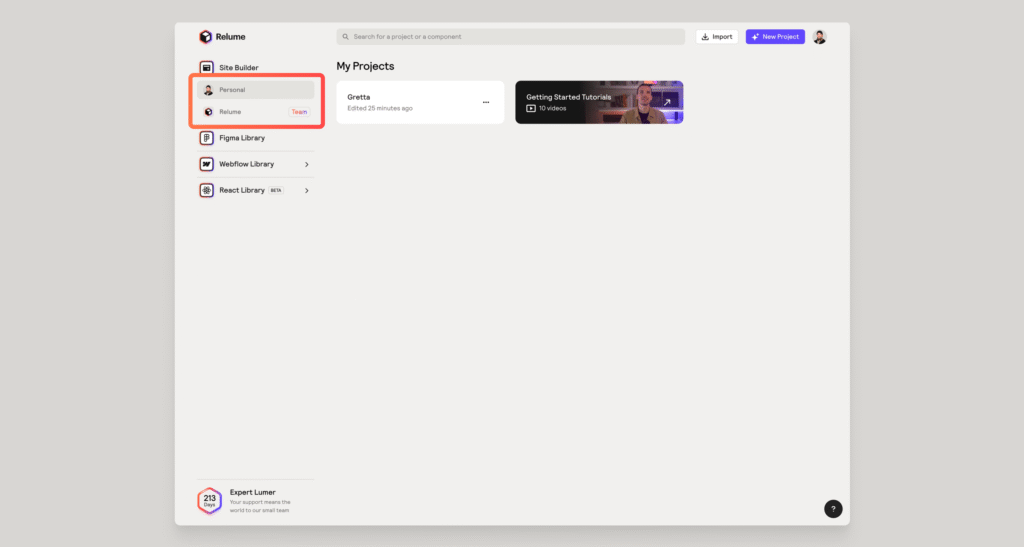
Relume makes collaboration super easy.
Team Collaboration
- Requires team plan
- Invite members to workspace
- Share full project access
Client Sharing
- Click Share button
- Set permissions
- Send link
Commenting System (Client Feedback Made Easy)
Anyone with the link can:
- Add comments
- Review sections
- Suggest changes
How It Works:
- Press C to enter comment mode
- Click anywhere to comment
- Press ESC to exit
Advanced Features:
- Comments are device-specific (desktop/mobile)
- Resolve comments with checkmark
- Comments attach to sections
If a section is deleted → comments are also removed
Exporting Your Wireframes
Once your wireframes are ready, you can export them to:
- Figma → for UI/UX design
- Webflow → for development
This makes Relume perfect for:
- Designers
- Agencies
- Freelancers
- SaaS founders
Turn Your Wireframes Into High-Converting Websites
At Axiabits, we transform your ideas and Relume Site Builder wireframes into fully functional, high-performing websites using Figma and Webflow.
From design to development, SEO to automation—we handle everything to help you launch faster and scale smarter.
👉 Book Now and turn your wireframe into a real website today.
Final Thoughts
Learning how to create and edit wireframes in Relume Site Builder can dramatically improve your workflow.
Instead of spending hours designing layouts manually, you can:
- Generate wireframes with AI
- Edit them visually
- Collaborate in real-time
- Export to production tools
Whether you’re building landing pages, SaaS platforms, or eCommerce sites—Relume helps you move faster, smarter, and more efficiently.
Stop wasting time on complex design processes. Use Relume Site Builder to create stunning wireframes effortlessly. Create your free account on Relume.io today and start building instantly.
Disclaimer
This article features affiliate links, which indicate that if you click on any of the links and make a purchase, we may receive a small commission. There’s no additional cost to you, and it helps support our blog so we can continue delivering valuable content. We endorse only products or services we believe will benefit our audience.
Frequently Asked Questions
What is Relume Site Builder used for?
Relume Site Builder is an AI-powered tool used to create sitemaps, generate wireframes, and design website structures بسرعة (quickly). It helps designers, developers, and marketers build professional layouts without starting from scratch.
How do wireframes and sitemap connect in Relume?
In Relume, each sitemap section is directly linked to a wireframe section. If you edit or delete a section in one, it automatically updates in the other, ensuring consistency and faster workflow.
Does Relume support AI content editing?
Yes, Relume has built-in AI features that allow you to rewrite, expand, or shorten text instantly. You can select any text and use the “Ask AI” option for quick improvements.
How do I create new pages in Relume Site Builder?
You can create new pages by clicking the “+” button in the wireframe view or adding them through the sitemap. Pages automatically sync between both views.
What are Global Sections in Relume?
Global sections are reusable components (like headers, footers, or CTAs) that stay consistent across multiple pages. When updated, they reflect changes everywhere they are used.


