Introduction
If you run a business on Facebook, you already know how powerful Messenger leads can be. Every day potential customers send messages asking questions about your services, pricing, or availability.
But answering every message manually can quickly become overwhelming.

Imagine having an AI assistant that automatically replies to messages, understands voice notes and images, qualifies leads, and books appointments — all without coding.
That’s exactly what you can build using automation tools like ManyChat, Make (automation platform), OpenAI, and Relevance AI.
In this guide, you’ll learn how to automate Facebook messages using ManyChat + AI so your system can:
- Automatically reply to Facebook messages
- Understand text, voice memos, and images
- Qualify potential leads
- Answer common questions
- Book appointments automatically
Want to automatically reply to Facebook messages, qualify leads, and book appointments without coding? Start using ManyChat today and build powerful Messenger automations in minutes. Join Now ManyChat and start automating your Facebook messages today.
Why Automating Facebook Messenger is Important
Facebook Messenger has become one of the most important communication channels for businesses.
People prefer sending a quick message instead of filling out long forms or sending emails. However, this creates a challenge: too many conversations to handle manually.
Without automation, businesses often face problems like:
- Slow response times
- Missed leads
- Overwhelmed support teams
- Lost sales opportunities
This is where AI-powered Messenger automation becomes incredibly powerful.
With automation, you can:
✔ Respond instantly to new leads
✔ Provide 24/7 customer support
✔ Filter out unqualified prospects
✔ Focus your time on serious buyers
Instead of hiring a large support team, you can use AI to handle the first stage of conversations automatically.
What an AI Facebook Agent Can Do
An AI Messenger agent behaves like a virtual sales assistant.
If you want to create smart Messenger chatbots and automate customer conversations, ManyChat is the best platform to start with. It’s beginner-friendly and officially approved by Meta. Sign Up Now ManyChat and launch your AI Messenger automation today.
For example, imagine you run a marketing coaching program and someone sends you a message.

The conversation could look like this:
User:
Hey there, I need help with marketing my business.
AI Agent:
Absolutely! I’d love to help. To see if our program is a good fit, may I ask you a few questions? Which country are you from?
User:
Netherlands.
AI Agent:
Great! What is your main goal with your business right now?
The user could reply with text, voice memo, or even a screenshot.
The AI agent will automatically understand everything.
Then it continues asking qualification questions like:
- Do you already have an offer?
- Do you currently have paying clients?
- Do you have a marketing budget?
If the lead qualifies, the AI agent responds:
“You sound like a strong fit for our program. Would you like to book a free strategy call?”
The AI then provides available times and books the appointment automatically.
This entire process happens without human involvement.
Tools Required for Facebook AI Automation
To build this automation system, you only need four tools.
1. ManyChat – Messenger Automation Platform
ManyChat is one of the most popular tools for automating Messenger conversations.
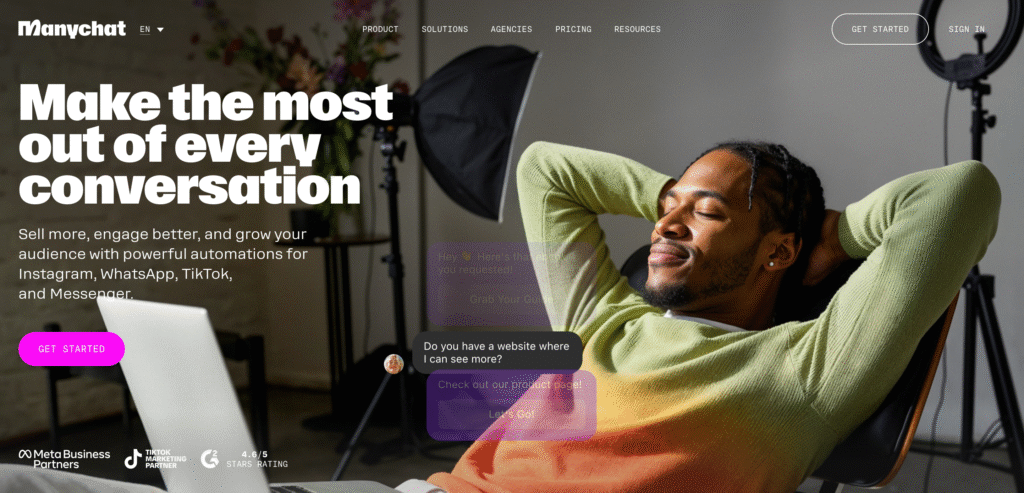
It allows businesses to create automated chat flows for:
- Facebook Messenger
- Instagram DMs
- WhatsApp
Why ManyChat is powerful:
- Official Meta-approved automation platform
- Easy drag-and-drop automation builder
- Beginner-friendly interface
- Free plan available
In this system, ManyChat acts as the main communication hub that receives messages from Facebook and sends responses back.
Stop replying to the same Facebook messages manually. With ManyChat, you can create automated flows that respond instantly and qualify leads automatically. Get Started with ManyChat and automate your Facebook conversations now.
2. OpenAI – AI Intelligence Engine
OpenAI powers the intelligence behind the automation.

It helps the system:
- Convert voice messages into text
- Describe images sent by users
- Understand complex messages
For example:
If someone sends a voice message explaining their business problem, OpenAI will transcribe it into text so the AI agent can analyze it.
If someone sends a website screenshot, OpenAI can describe the image content.
3. Relevance AI – Build the AI Agent
Relevance AI is used to create the AI agent that manages the conversation.

This AI agent can:
- Understand user intent
- Ask qualification questions
- Answer business questions
- Access tools like calendars
- Book meetings automatically
You can even train the AI using:
- Your website
- Documents
- Knowledge bases
- FAQs
This allows the AI to respond with accurate business information.
4. Make – Automation Integration Platform
Make (automation platform) connects all tools together.
It works as an automation bridge between:
Facebook Messenger → ManyChat → Make → AI Agent → ManyChat → Facebook
Make handles the logic and data processing needed for the automation to work smoothly.
If you want to make your chatbot even more intelligent, you can integrate advanced AI tools to improve conversation accuracy. By connecting ManyChat with Dialogflow, businesses can create smarter bots that understand user intent, respond naturally, and handle complex customer questions automatically. Discover the full guide in Make Your ManyChat Bot Smarter with Dialogflow AI.
How the Facebook AI Automation System Works
Let’s simplify the entire workflow.
Step 1 – Receive Messages from Facebook
When a user sends a message on your Facebook page, it is captured by ManyChat.
The system collects all incoming messages such as:
- Text messages
- Image files
- Voice memos
These messages are stored temporarily in ManyChat.
Step 2 – Combine Messages into a Single Request
Sometimes users send multiple messages quickly.
For example:
Message 1: Hey
Message 2: I need help with marketing
Message 3: (Voice memo)
The system combines these messages into one bundled message so the AI agent can understand the full context.
Step 3 – Process Images and Voice Notes
Inside the automation platform, the system checks the message type.
If it contains an image, the image is analyzed by AI.
If it contains a voice memo, the audio is transcribed into text.
This ensures the AI agent fully understands the user’s message.
Step 4 – Send Message to the AI Agent
Once the message is processed, it is sent to the AI agent built in Relevance AI.
The AI analyzes the message and decides how to respond.
It might:
- Ask a question
- Provide helpful information
- Qualify the lead
- Offer an appointment
Step 5 – Split AI Responses into Natural Messages
Instead of sending one large robotic message, the system splits the response into multiple smaller messages.
Example:
Message 1:
Thanks for reaching out!
Message 2:
Yes, our strategy call is completely free.
Message 3:
During the call we review your goals and marketing funnel.
This creates a more human-like conversation experience.
If you also want to automate messages on Instagram, connecting your account to ManyChat is the first step. Once integrated, you can automatically reply to Instagram DMs, capture leads, and build powerful chat automations similar to Facebook Messenger. Check out our complete guide on Connect Instagram Account to ManyChat in 2025 to set up your Instagram automation in minutes.
Lead Qualification with AI
One of the biggest benefits of AI Messenger automation is automatic lead qualification.
The AI agent can ask structured questions like:
- Which country are you from?
- What is your business goal?
- Do you already have clients?
- Do you have a marketing budget?
Based on the answers, the AI determines if the lead is a good fit.
For example, a qualified lead might:
- Run an active business
- Have existing customers
- Have at least $1000 marketing budget
Qualified leads can move forward to booking calls.
Unqualified leads can be redirected to helpful resources. Want to convert Facebook messages into real business opportunities? Use ManyChat to build AI-powered automation that captures leads and books calls automatically.
Join ManyChat Today and start turning messages into leads.
Automated Appointment Booking
Once a lead qualifies, the AI agent can automatically offer a call.
Example response:
“Based on your answers, you sound like a great fit for our program. Would you like to book a free strategy call?”
The AI then checks calendar availability and offers time slots like:
- Monday at 11:30 AM
- Tuesday at 2:00 PM
- Wednesday at 10:00 AM
When the user selects a time, the AI:
- Collects name and email
- Creates a calendar event
- Sends confirmation details
This process eliminates manual scheduling completely.
Benefits of AI Messenger Automation
Businesses using AI Messenger automation experience significant improvements.
Instant Lead Response
Leads receive replies within seconds.
Higher Conversion Rates
Fast responses increase engagement and sales.
24/7 Customer Support
The AI agent works even when you’re offline.
Reduced Workload
Your team spends less time answering repetitive questions.
Scalable Lead Management
Handle hundreds of conversations simultaneously.
If you want to take your automation even further, AI-powered chatbots can completely transform how you interact with customers. With tools like ManyChat, businesses can build intelligent chatbots that automatically answer questions, nurture leads, and guide users through the buying journey. Learn more in our detailed guide on ManyChat AI Chatbots Can Level Up Your Business.
Grow Your Business with Smart Automation Solutions
At Axiabits, we help businesses automate their marketing, improve customer engagement, and generate more leads using advanced AI and automation tools. Our goal is to simplify complex processes so you can focus on growing your business.
Our Key Services
AI Chatbot & Messenger Automation
We create powerful automation systems using tools like ManyChat and AI technologies that automatically respond to customer messages, qualify leads, and book appointments 24/7.
Marketing Automation Solutions
Our team builds smart automation workflows that connect your marketing tools, helping you manage leads, campaigns, and customer interactions more efficiently.
AI Integration & Workflow Automation
Using platforms like Make (automation platform) and AI tools, we integrate your systems so your business processes run smoothly without manual work.
Lead Generation & Funnel Optimization
We design automated funnels that capture leads, nurture prospects, and convert them into paying customers.
Ready to Automate Your Business?
If you want to automate your Facebook messages, qualify leads automatically, and book appointments on autopilot, our team can help you implement the perfect automation system.
Book Now a Call– Let’s Build Your Automation System 🚀
Final Thoughts
Automating Facebook Messenger using AI is one of the most powerful ways to scale your lead generation and customer support.
By combining tools like ManyChat, OpenAI, Relevance AI, and Make, you can create a smart system that:
✔ Responds to Facebook messages instantly
✔ Understands text, images, and voice notes
✔ Qualifies potential customers automatically
✔ Answers frequently asked questions
✔ Books appointments without manual effort
Once configured, your AI agent acts like a 24/7 sales assistant, helping you convert more leads while saving hours of manual work. Thousands of businesses use ManyChat to automate Messenger marketing and grow their sales. You can create your first chatbot in just a few minutes. Sign Up for ManyChat Now and start automating your Messenger marketing.
Disclaimer
This article features affiliate links, which indicate that if you click on any of the links and make a purchase, we may receive a small commission. There’s no additional cost to you, and it helps support our blog so we can continue delivering valuable content. We endorse only products or services we believe will benefit our audience.
Frequently Asked Questions
What is Facebook Messenger automation?
Facebook Messenger automation is a system that automatically replies to messages sent to your Facebook page. Using tools like ManyChat and AI platforms, businesses can automatically answer questions, collect customer information, qualify leads, and even schedule appointments without manual replies.
Can I automate Facebook messages without coding?
Yes, you can automate Facebook messages without coding by using no-code tools such as ManyChat and Make (automation platform). These platforms provide drag-and-drop automation builders that allow you to create advanced Messenger workflows without any programming knowledge.
How does AI respond to Facebook messages automatically?
AI automation works by analyzing incoming messages and generating intelligent responses. Platforms like OpenAI can understand text, voice notes, and even images sent through Messenger. The AI processes the message, determines the user’s intent, and sends an appropriate response automatically.
What is ManyChat used for?
ManyChat is a chatbot and automation platform used to automate conversations on Facebook Messenger, Instagram, and WhatsApp. Businesses use it to send automated replies, capture leads, deliver marketing campaigns, and improve customer engagement.
Can AI book appointments from Facebook Messenger?
Yes, AI chatbots can automatically book appointments directly from Facebook Messenger. When integrated with scheduling tools or calendars through platforms like Relevance AI and Make (automation platform), the chatbot can check available times, schedule meetings, and send confirmations to users.